Showing posts with label google education. Show all posts

Wednesday, September 19, 2012

Google Course Builder - create your own online courses


Google Course Builder is a new resource from Google that allows you to create your own online courses. Google used it to create their Power Searching with Google online course. It has all of the software and instructions for creating an online course. Your course can contain lesson materials, student activities, and assessments. There are also instructions for integrating other Google products into your course.


The course builder does require some knowledge of HTML and JavaScript, but you can learn that online too. The site has tons of resources to help you build your course and they have Google Hangouts to help you with experts you can ask for help. The instructions are well written and step-by-step and there are checklists and timeframes to help.

This could be a great way for teachers, or schools/districts, to build their own online courses.



Thursday, September 13, 2012

Google Drive comes in handy during Power Outage


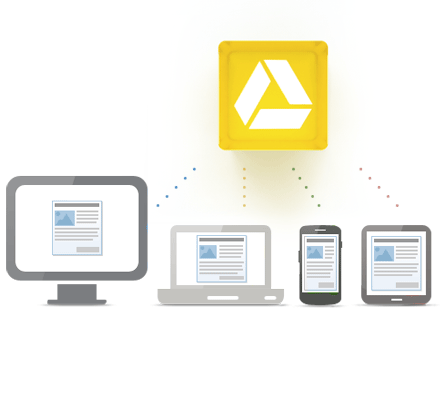
Google Drive is Google's online file storage system and the way you access your Google Docs, Spreadsheets and Presentations.

One of the really great features it brought was syncing of your docs and files onto your computer for offline access. This came in really handy for me last night.

I came home to find that our condo building had no power due to an underground power line failure. I had a few things I still needed to work on and there was no WiFi. I could have used my smartphone as a hotspot, but I wanted to save my phone battery for an emergency. My Chromebook, with built in 3G, was at school. Luckily, I have Google Drive on my laptop at home and was able to access all of my Google Docs offline. Once the power came back on, the changes I made synced with my Google Drive account and were available to me later.

Thanks Google Drive!


Access everywhere


Wednesday, June 27, 2012

Microsoft Office 365 for Education now available for Free


Office 365 for education

Microsoft 365 is an online version of Microsoft's well known Office suite. Office 365 for Education is free for schools and is already being used by many public school districts and colleges.

Office 365 is cloud based and includes Microsoft Office Web Apps, Exchange Online, SharePoint Online, and Lync Online.


This is Microsoft's answer to Google Apps for Education. It can be a good option for schools that are heavily invested in Microsoft apps as there would be almost no learning curve or training required. It includes Word, PowerPoint, Excel, Email, Calendars, web sites, and much more, including the ability to collaborate online with others and even run an online course.

You can find more information about features here. (including deployment guides and training)

You can go here to register: http://www.microsoft.com/education/en-us/products/Pages/office-365-for-education.aspx

Related:

Free Teacher Guides from Microsoft - great resources

Microsoft Surface - Windows 8 Tablet/PC - announced

Why I Use Google's Products as an Educator

Google for Education Resources


Monday, June 18, 2012

Get Your PhD in Googling - interactive tool for learning better search tips


Google.com

Google is a very powerful tool. You can find pretty much anything online these days. The trick is knowing how to find exactly what you are looking for.

Here is an interactive infographic with some great tips for better internet searching (specifically with Google).


Related:

Google - free posters with search tips for teachers

Some great resources on Google Chrome for Education


Google Chrome is my browser of choice. It is fast, secure, easy to use, full of features, and works great with all of the Google apps I use. I also use Chrome OS, which is an operating system based on the Chrome Browser. Chrome has great features and extensions that can make your online experience better and more productive.

Here are some great resources I just learned about for using Google Chrome:

10 Google Chrome Tips for Students - tips for using the address bar (onmibox) for different purposes, better search, and using extensions. 


chrome news  100 Tips for Google Chrome   A Free Ebook

100 Tips for Google Chrome - free PDF download -  this free e-book has some great tips for using Chrome, including keyboard shortcuts, using your mouse, use of the omnibox, tabs, bookmarks, drag and drop, and much more. A must have/read for Chrome users. 

Friday, June 1, 2012

Google World Wonders Project - bring the wonders of the world to life


Google, one of my favorite resources for education with tons of great apps and resources, has another great resource for education.

Google World Wonders Project takes images from Google Street View and make great places of the world, from Pompeii to the Hiroshima Peace Memorial, available to anyone. Users can explore and navigate the area, including places not easily accessible. There are also 3D models, YouTube videos and photos of these historic sites. You can browse by topic or by your location.


Teachers can bring students on virtual field trips to some wonderful places on our great planet.  The Education page has teacher guides (free PDF download) for primary and secondary school, along with historic sites organized by class and topic.

I was playing with it for a while today and thought it was a great way to explore some pretty cool places around the world

It is a great way to teach, and learn about, historical sites, history, and geography.
http://www.google.com/culturalinstitute/worldwonders/


Related:

Why I Use Google's Products as an Educator
Google for Education Resources

Google for Educators

Tons of great, free resources from Google


Wednesday, May 23, 2012

Google Apps for Education Maine Summit - Aug 16, 17


I am a huge fan and user of Google's many apps, tools, and resources. I have an Android phone, a Chromebook, use Chrome as my browser and use Gmail, Google Calendar, Tasks, iGoogle, Reader, Docs/Drive, Blogger and Google Sites on a daily basis. I love the simplicity, yet functionality of these apps and I share my enthusiasm and knowledge with other educators.


This summer there is an awesome event in the Northeast USA about Google in Education: The Google Apps for Education Maine Summit. 

This is a two day event, hosted at Yarmouth High School in Maine, August 16th and 17th. The event focuses on using Google Apps for Education in your school and classroom to improve teaching and learning. Presenters include Google Certified Teachers, Google Apps for Education Certified Trainers, Google Engineers, educators that use Google Apps, and representatives from the Google Apps for Education Team. There are two keynote presentations along with breakout sessions, demonstrations, and hands-on workshops.

There will be free parking and WiFi, continental breakfast and coffee with networking time each day, access to Google employees, and early bird registration is only $199.

If you use Google Apps, or want to learn how to implement them in your school, you should attend this event. Register at the site:  http://me.gafesummit.com/

That area of Maine is beautiful and one of my favorite places to visit. LL Bean's flagship store, along with other great attractions, are minutes away in Freeport. So after learning all day, you have plenty of opportunities for fun in the evening.


Related:

Why I use Google's Products as an Educator (and how)


Android Smartphone and Apps I use as an Educator


Friday, May 18, 2012

Doodle 4 Google Winner - 2nd Grader wins big!


Doodle 4 Google

Google has announced the winner of this year's Doodle 4 Google competition. Dylan Hoffman, a 2nd grader from Wisconsin has won. This year's them was "If I could travel in time, I'd visit..." Dylan drew a pirate scene with the Google logo in it.

Doodle 4 Google winner cashes in with 'Pirate Times' drawing, finds a Chromebook in the treasure chest

He has won a $30,000 college scholarship, Chromebook computer and $50,000 technology grant for his school. His doodle is today's Google logo and will also appear on a special edition 64 count box of Crayola crayons.


The National Winner was announced yesterday, May 17th at the national award ceremony in New York City. The winning doodle will be posted on the Google homepage on May 18th. All 50 State Winners were in New York for the ceremony and will have there doodles displayed at the New York Public library and all 250 State Finalists will have theirs displayed in local exhibitions in their own state.


Saturday, May 12, 2012

ChartTool - create nice charts with Image Charts from Google


ChartTool is a free tool from Google that lets you create great looking charts. It's very easy to use. You can select a chart from the gallery, or import your own chart.

Each chart can be edited and customized: title, size, data, data style, axis labels and much more. The charts can be saved, shared, or embedded in a site.


The gallery has line, bar, pie, map, scatter, Venn, Radar charts, QR Codes that can be edited, and even Google-O-Meter charts.


Students and educators can use this to easily create great looking charts and graphs for projects.


Related:

Google for Education Resources - apps, links, help, lesson ideas, and more


Thursday, May 3, 2012

Google Search Education - teach your students to search better


Google Search Education is another great educational resource from Google. The site has lesson plans and even live training to help students, and teachers, learn how to search for academic sources, as well as develop critical and independent thinking skills. Students will be able to become skilled searchers and be able to analyze and critique the search results.

The lesson plans are a great resource for teachers to use in their classroom to help their students search better. The live training sessions are also archived so that you can watch them at any time.

Effective internet searching is a critical skill for our students to have.


Related:

10 Tech Skills Every Student Should Have

Google for Education Resources - tips, apps, how-to's, getting started, lesson ideas, and more

10 Important Skills Students need for the Future


Google Docs updates - 450 new fonts, 60 new templates, image insert options, and more


Google is constantly updating and refreshing their products. The recently launched Google Drive, which is an online file sync and storage service that is integrated with other Google products like Docs, and they just announced a bunch of new features and upgrades.

Google Docs, the online office suite of apps, now has over 450 new fonts in it. You do have to add them to your Docs though. Go to font menu, click "Add fonts" at bottom, go to the menu of web fonts available, select the new fonts you want, and they will be in your Docs font menu.


Google has also added more options for inserting images in Docs. You can insert them from Google Drive, search for images in the LIFE photo archive, or even use a picture taking with your webcam. 
There are new gridline and axis format options in Charts in Spreadsheets, more accessibility in Docs, the ability to set the default page size for new documents, over 60 new templates in the template gallery and an increase in the size of docs files from 2MB to 50MB. 
You can also convert CSV files directly in Google Docs to be able to read them. If you try to open a CSV file in Docs, you get a "No Preview Available" page. Click File>Export to Google Spreadsheet and you will be able to view it in Docs. 

Read more about all the new features and options on the Official Google Docs Blog. (source)

Related:

Google Drive - file sync, storage, share - integrated with Docs and Google+

Google Resources for Education
Presentation on Google for Educators

Why I use Google's Products as an Educator (and how)

Google+ - more reasons it's great for educators

Google Plus - tips for using in education, facts and data infographic


Wednesday, May 2, 2012

Doodle 4 Google State Winners Announced - vote for national winners


Doodle 4 Google


Google has announced the State winners of the Doodle 4 Google contest for K-12 students in the US. Students created a doodle of the Google logo based on this years topic "If I could travel in time, I'd visit...". The winner gets their design on the Google homepage and gets a $30,000 college scholarship along with a $50,000 technology grant for their school.

Google had over 114,000 submissions from around the country. From today until May 10th, the public can vote and help select the five National Finalists. The National Winner will be announced on May 17th at the national award ceremony in New York City. The winning doodle will be posted on the Google homepage on May 18th. All 50 State Winners will have there doodles displayed at the New York Public library and all 250 State Finalists will have theirs displayed in local exhibitions in their own state. 

This is a great contest, that not only encourages creativity and thought, but also award scholarships to students. 

Go and view the State Winners and vote for your favorite to win the National award.
http://www.google.com/doodle4google/vote.html


Monday, April 30, 2012

Google in Education - one stop shopping for Google Education resources


Google launched Google in Education at the start of 2012 as a one-stop-shopping location for all things Google Education related. It's recently been updated with even more resources.

Google in Education has all of Google's great resources for education organized by Teacher, Student, and Organizations. The teacher page has Classroom Tools, Professional Development, and Student resources.

The Classroom Tools include Google Apps in Education, educator guides and lesson ideas, and classroom videos.

There are some great resources on here. If you use Google's tools, you should check this site out.
http://www.google.com/edu/index.html


Related:

Google's Resources for Educators

Why I Use Google's Products as an Educator.